Skip to content
CAM_SYSTEM // COMMAND CENTER

CAMERONCARTER

I BUILD. systems.

IT SupportCybersecurityNetwork SecurityBackend Development

I troubleshoot systems, investigate security events, build backend infrastructure, and solve technical problems remotely.

Atlanta-based. Remote-ready. Connected globally.

REMOTE NODE // ATLANTA
CONNECTED GLOBALLY
DIGITAL REACH
USA • KENYA • THAILAND • DUBAI
LIVE
GLOBAL DIGITAL NETWORK
CAM_SYSTEM // STATUSALL SYSTEMS NOMINAL
LOCATION
ATLANTA
MODE
REMOTE
TIMEZONE
ET (UTC−5/−4)
NETWORK
CONNECTED
SECURITY
MONITORING
BACKEND
ONLINE
AVAILABILITY
OPEN
//THE WORKSTATION

I wanted to understand what's inside.

A machine is not a black box. Hover or select a part to see what it does — or explode the view to see how it all fits together. This is a stylised representation for learning, not a spec sheet.
TOWER
CARTER-LINK // WORKSTATIONMOBOCOOLCPURAMGPUSSDNETPSU / POWER
DESKDUAL-DISPLAY · PERIPHERALS

terminal

CPU

The processor executes instructions — the decision-maker that runs the operating system and every program.

STATUS
ONLINE
ROLE
Processing / logic
TEMP
NOMINAL
02CAMERON PROFILE

The system behind Cameron Carter

An early-career technologist across IT support, cybersecurity, and backend development. Read the recruiter summary, or dive the full chaptered profile.
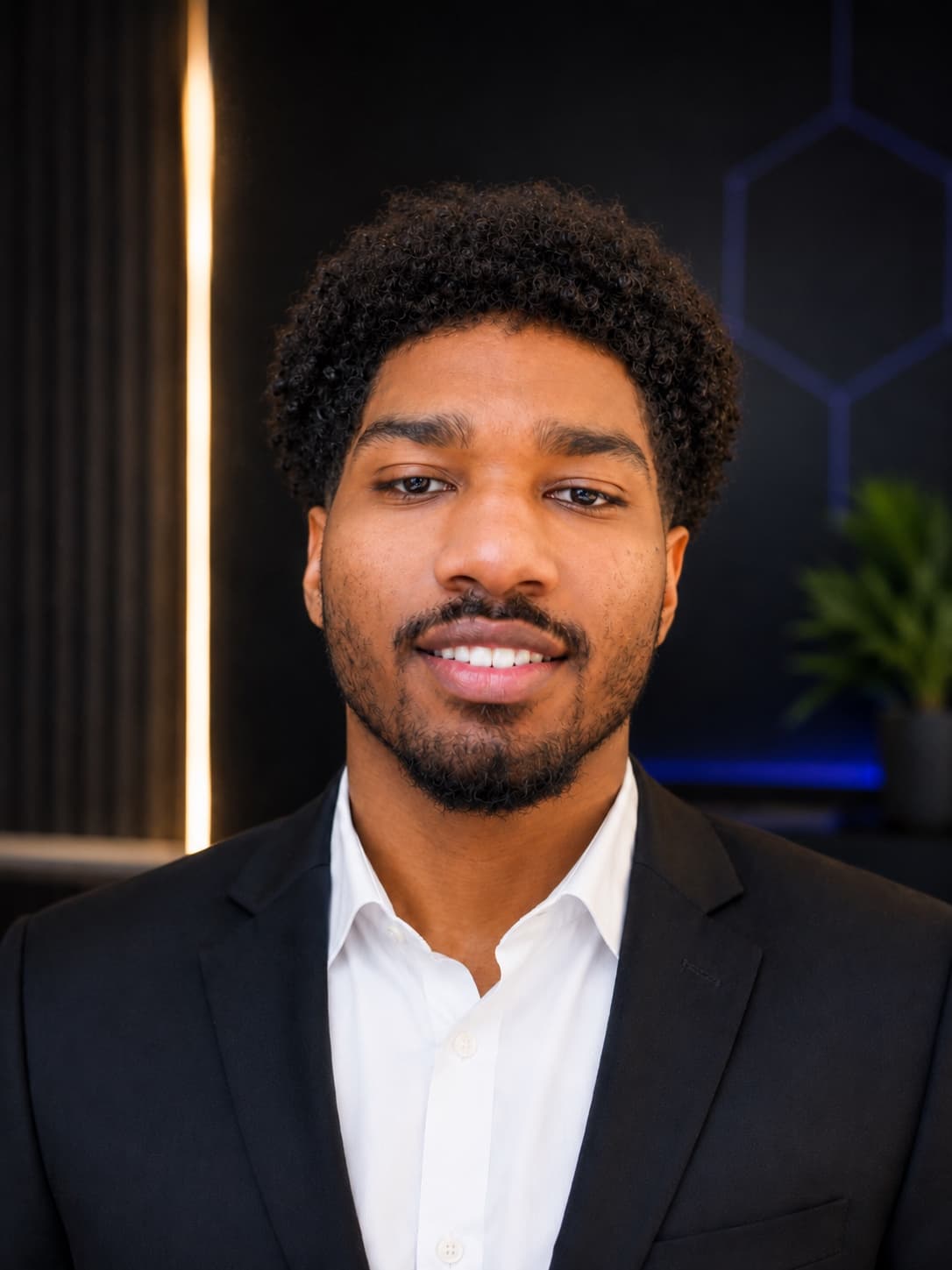
Cameron Carter
IDENTITY VERIFIED
CAMERON CARTER
ATLANTA // REMOTE
  • IT SUPPORT
  • CYBERSECURITY
  • BACKEND
  • NETWORKING
  • TROUBLESHOOTING
CAM // PROFILE — DEEP DIVE

Nine chapters on how Cameron thinks, what he has actually built, and where he is headed — labs marked as labs, training marked as training, proposals marked as proposals.

SCROLL, OR JUMP VIA CAM // PROFILE →

01WHO

Carter Link's introduction — then the story in my own words.

Cameron Carter is a 22-year-old early-career technologist from the Atlanta / Decatur area, working across IT support, cybersecurity, software development, e-commerce, networking, troubleshooting, and small-business technology. His path hasn't followed one rigid formula — it's been built through coursework, independent study, hands-on projects, freelance work, business experience, and real-world employment.

Here's how I'd put it myself. I've been fascinated by computers for as long as I can remember. When I was younger, I didn't just want to use them — I wanted to understand what was happening inside them. I'd take a machine apart, study the components, figure out what connected to what, and then put everything back together.

Sometimes I'd break a configuration on purpose, just to see whether I could work backward and figure out what went wrong. What started as curiosity about hardware turned into curiosity about software, networks, operating systems, cybersecurity, development, and the systems connecting all of them.

The thread has never really changed: understand the system, solve the problem, build something, and help other people feel more capable with the technology they use.

CURIOSITY
HARDWARE
TAKE IT APART
PUT IT BACK
TROUBLESHOOT
UNDERSTAND
CORE BRAND
  • IT Support
  • Cybersecurity
  • Backend Development
SUPPORTING
  • Network Security
  • Technical Support
  • Software Development
  • Application Security
  • Game Scripting

Positioned honestly as an early-career technologist with real hands-on experience actively turning that experience into a professional technical career — not an established senior engineer.

02DIRECTION

The destination is security. The foundation is broader technology.

Cameron's long-term direction is cybersecurity and security-focused engineering.

Cybersecurity is where I ultimately see myself going. My original roadmap was simple — IT support → SOC → cybersecurity → security engineering. But the deeper I got into development, the bigger that path became. Backend work introduced me to another side of security: authentication, authorization, APIs, application architecture, and the decisions that determine whether a system is secure long before an incident ever happens.

IT / HELP DESK
SOC ANALYST
CYBERSECURITY
SECURITY ENGINEERING
BRANCHES OUT
  • BACKEND DEVELOPMENT
  • APPLICATION SECURITY
  • SOFTWARE ENGINEERING
  • CLOUD SECURITY
  • DEVSECOPS
  • SECURITY AUTOMATION
  • DETECTION ENGINEERING
03TROUBLESHOOTING

Probably my most natural skill — and the one I'd rather show than claim.

If something isn't working, I don't just want the quickest fix. I want to know what failed, why it failed, what else it touches, and how I can prove it's actually fixed.

That instinct — isolating the failing layer instead of guessing at symptoms — runs through Cameron's hands-on troubleshooting: Windows, PC optimization, malware cleanup, connectivity and Wi-Fi, routers, gateways, printers, hardware, ping and packet-loss analysis, and command-line diagnostics.

In one case — a Safaricom router problem — I checked device-to-device connectivity, then the gateway, then external connectivity, and looked at packet loss and latency to isolate exactly where it was breaking. I document tickets end to end too, so the reasoning stays visible: issue → symptoms → investigation → commands → evidence → resolution → verification → lessons.

ISSUE
SYMPTOMS
INVESTIGATION
COMMANDS
EVIDENCE
RESOLUTION
VERIFICATION
LESSONS

The Safaricom example is described as a troubleshooting experience; no root cause is invented beyond what's documented.

04SECURITY

Presented as labs and practical learning — clearly distinct from professional employment.

Cameron's cybersecurity experience currently centers on practical labs: security monitoring, SIEM (Wazuh), Windows event and PowerShell activity review, suspicious-IP and failed-login analysis, brute-force and successful-login correlation, firewall blocking, malware-investigation scenarios, endpoint investigation, Linux, VMware, network fundamentals, DVWA, SQL injection with SQLMap, authentication security, and incident-response thinking.

One of those labs is the Invoice Incident. I started with the alert and worked backward — repeated failed admin logins, a later successful login, suspicious PowerShell, and firewall activity. The point wasn't spotting one suspicious event; it was understanding how the events related to each other. You can walk the same timeline in the SOC / SIEM simulator on this site.

MALICIOUS EXECUTABLE
NETWORK ACTIVITY
FAILED ADMIN LOGINS
SUCCESSFUL ACCESS
POWERSHELL ACTIVITY
FIREWALL ACTION
INVESTIGATION

LAB EXPERIENCE — not professional employment. Cameron has never held a professional SOC-analyst role.

05DEVELOPMENT

Where following tutorials ended and real troubleshooting began.

Cameron's development experience includes HTML, CSS, JavaScript, React, Vite, Tailwind CSS, Node.js concepts, Python, Git, GitHub, Cursor, AI-assisted development, VS Code-style environments, and Shopify.

Development gave me another way to understand systems. Instead of only figuring out why something broke, I could start building the thing myself.

A CRM project pushed me past tutorials — a dark-themed React app with a dashboard, lead management, auth, CRUD, routing, search, and UI state. The real growth was in the problems: a white screen doesn't tell you which file is wrong, and a broken route doesn't explain which config you duplicated. I had to dig through React Router, imports, paths, repository structure, and GitHub workflows until it behaved the way I expected.

On RAVYNBASE, Cameron's responsibilities center on backend, security, and authentication. My side of the architecture has me thinking about authentication, authorization, API development, user security, data handling, database interaction, secure backend practices, and application security.

RAVYNBASE ownership is unchanged and no completed systems are claimed — collaborative, in-progress work.

06BUSINESS

Technology exists to support real operations and real people.

Cameron's technical background also grew around real business operations — independent IT services (PC optimization, malware removal, network and printer troubleshooting, basic consulting) alongside hands-on e-commerce work.

Working around customers, inventory, Shopify, POS systems, websites, and day-to-day operations taught me something pure technical exercises can't: technology has to work for actual people. A technically impressive solution doesn't mean much if it doesn't solve the real problem.

Ebony Steel Studios anchors that e-commerce experience — Shopify, website management, inventory, retail sales, product organization, events, POS, and merchandising. A separate Bahamas contractor site was scoped as a proposal, where the focus was requirements gathering, scope, pricing, and client communication.

The Bahamas site is described as a proposal, not a launched client project.

07MINDSET

I learn best with a real problem in front of me — not from memorizing steps.

Give me something tangible to build, troubleshoot, research, or improve, and I'll usually learn more from working through it than from any tutorial. One thing I'm actively improving is consistency — finishing what I'm building before the next interesting idea pulls my attention.

Years of customer-facing work taught me the human half of the job too: patience, listening, explaining things plainly, and finding the real problem behind the reported one.

The simplest way I can put it: “Technology isn't just what I work on. It's how I think.”

REAL PROBLEM
RESEARCH
EXPERIMENT
ISOLATE
TROUBLESHOOT
SOLVE
UNDERSTAND
08GAMING

Strategy, systems, optimization — the same instincts, a different arena.

Outside of professional technology, Cameron is heavily into competitive gaming — Valorant, Overwatch, League of Legends, Roblox — and has reached Diamond in Valorant.

Gaming is another place my obsession with systems shows up: strategy, optimization, mechanical improvement, and pattern recognition — the same instincts that pull me toward game development and scripting.

Gaming complements — it doesn't overshadow — his professional identity.

09FUTURE

Every credential shown as exactly what it is — training, exploration, or a target.

Cameron's background includes strong high-school academics — AP World History, AP Macroeconomics, AP Human Geography, AP English Language, AP U.S. History, business coursework, and Excel-related coursework — plus Air Force JROTC involvement and academic recognition. Later came coursework and self-study across computer science, cybersecurity, Python, hardware, data/logistics, Node.js, and networking, acceptance to Year Up, and exploration of WGU and the Apple Developer Academy.

On certifications, he's completed training around CompTIA ITF+ concepts but isn't presented as ITF+ certified. From here, the plan is a deliberate climb — A+, Network+, Security+ — while I keep building across IT, networking, development, and security.

ITF+ KNOWLEDGE / TRAINING
A+
NETWORK+
SECURITY+
BRANCHES OUT
  • Help Desk Technician
  • IT Support Specialist
  • Technical Support Engineer
  • SOC Analyst
  • Junior Cybersecurity Analyst
  • Junior Backend Developer
  • Security Engineer
  • Application Security Engineer
  • Cloud Security Engineer
  • DevSecOps Engineer
  • Detection Engineer
REMOTE NODE // ATLANTA
  • Technical Support
  • IT / Help Desk
  • SaaS Support
  • Junior Cybersecurity
  • Security Operations
  • Backend Development
  • Technical Customer Success

Explorations are shown as explorations — no enrollment, completion, or earned credential is implied. Remote-first for U.S. + globally distributed teams; no eligibility beyond supplied information is implied.

THE DIFFERENTIATOR
TECHNOLOGY
USERS
BUSINESS
TROUBLESHOOTING
CAMERON CARTER

I don't think my strongest differentiator is one language, one certification, or one tool — it's the combination. I've seen technology from the user side, the business side, troubleshooting, development, and increasingly security, and that changes how I look at a problem.

IT Support • Cybersecurity • Backend Development
INVESTIGATE
//DIGITAL LITERACY

Not just fixing it. Helping people understand it.

The more I’ve learned about technology, the more I’ve noticed how intimidating it feels when nobody explains what’s actually happening. I like helping people feel capable with the tools they use — a good explanation isn’t about sounding clever, it’s about leaving someone able to handle the next problem themselves.

THE PROGRESSION

Understanding it is power.

WHAT SUPPORT SHOULD BUILD

  1. USER

    A person with a question.

  2. DEVICE

    The thing that isn't cooperating.

  3. UNDERSTANDING

    What is actually happening.

  4. CONFIDENCE

    "Oh — I can do this."

  5. INDEPENDENCE

    Next time, on their own.

EXPLAIN IT LIKE A HUMAN

TECHNICAL

DHCP LEASE FAILURE

03WHAT I DO

Seven interlocking capabilities — from the desk-side diagnostic to the backend service. Hover or focus any module to bring its status online.
01DIAGNOSTIC READY

IT SUPPORT

Hardware and software diagnostics, connectivity, operating systems and user troubleshooting — meeting people where the problem actually is.

  • Hardware / software diagnostics
  • OS troubleshooting
  • Connectivity
  • User support & education
02MONITORING ACTIVE

CYBERSECURITY

Security-event analysis, spotting suspicious behavior and working through incident-response workflows in a controlled lab environment.

  • Security-event analysis
  • Suspicious-behavior detection
  • Incident-response workflow
  • Log investigation
03LINK ESTABLISHED

NETWORK SECURITY

TCP/IP, DNS, DHCP, Wi-Fi and secure-access troubleshooting — understanding how traffic moves and where it breaks.

  • TCP/IP & DNS & DHCP
  • Wi-Fi troubleshooting
  • Secure-access debugging
  • Connectivity analysis
04API ONLINE

BACKEND DEVELOPMENT

APIs, authentication, authorization, databases and backend services — the systems underneath the interface.

  • API design
  • Auth (authn / authz)
  • Databases
  • Backend services
05RENDER COMPLETE

WEB DEVELOPMENT

React interfaces, business websites and e-commerce experiences that are built to actually be used.

  • React interfaces
  • Business websites
  • E-commerce
  • Responsive UI
06ANALYSIS COMPLETE

TECHNICAL CONSULTING

Evaluate technical problems and determine practical solutions — pragmatic recommendations over jargon.

  • Problem evaluation
  • Practical solutions
  • Trade-off analysis
  • Tooling guidance
07SCRIPT RUNNING

GAME DEV + SCRIPTING

Interactive systems, game logic, scripting, debugging, prototyping and player experience.

  • Interactive systems
  • Game logic & scripting
  • Debugging & prototyping
  • Player experience
04STACK

TECH INVENTORY

The working toolkit — networking, security, systems and development. Filter by domain, then open any item to read where and how it's actually used.

CREATIVE // GAME DEV + SCRIPTING

Logic that runs, not just renders.

Interactive systems, game logic, scripting and state machines. Input becomes state, state drives a script, the script fans out into actions and events, and everything resolves to output. Run the flow and watch a frame execute.

Interactive systemsGame logicScriptingState machinesDebuggingPrototyping

Engines & languages intentionally unspecified — shown when documented.

game_loop.script○ IDLE
PLAYER INPUTGAME STATESCRIPTACTIONEVENTOUTPUT
05TERMINAL

A terminal that actually runs.

Not decorative. Type a command and it executes against a controlled simulation. Solve the live network incident below, or just poke around — whoami, coffee, hire cam.
NETWORK INCIDENT #001OPEN

Internet access unavailable on REMOTE-WKS-22.

OBJECTIVE
Find the network failure
IPv4
192.168.1.84
GATEWAY
192.168.1.1
DNS
10.20.30.99

ping gateway passes · nslookup example.com fails. Then diagnose network.

cam@remote-node — /bin/sim
CARTER LINK // SIMULATED TERMINAL — type `help` to begin.
Controlled simulation. No host access. No eval. Your input is parsed, never executed.
cam@remote-node:~$
TRY:
//NETWORK MAP

The network, as a map
not a glossary.

Sixteen networking concepts as a live constellation. Select a node to open its details, follow the lines to related systems, and walk the network the way Cam thinks through a fault — from the interface card all the way out to DNS.

A conceptual networking flow — not every packet in every situation.

NETWORK CONCEPTS · 1/16

NIC

Network Interface Card / Controller

WHAT IS IT?

The hardware (or virtual) interface that lets a device talk to a network.

WHAT DOES IT DO?

Sends and receives network data over Ethernet, Wi-Fi, or a virtual interface.

HOW IT WORKS

The OS talks through the NIC, which handles the physical/data-link connection and carries identifying information such as a MAC address.

WHY IT MATTERS

If the NIC is down, disabled, or has no driver, the device has no way onto the network at all — nothing else matters until it's up.

HOW I'D TROUBLESHOOT IT

  • Adapter status (enabled/disabled)
  • Drivers
  • Link status
  • Wi-Fi vs Ethernet state
  • Assigned IP configuration
  • Interface settings

CONNECTED TO

06PROJECTS

Selected build work — the contribution scope, responsibilities and stack for each. Swipe, use the arrows, or jump with the markers.

CASE FILE // RAVYNBASE

RAVYNBASE

Backend + SecurityBACKEND / SECURITY

Backend and security work on a collaborative platform — focused on how users are authenticated, what they're allowed to do, and how the API is structured behind the scenes.

RESPONSIBILITIES

  • Authentication
  • Authorization
  • API structure
  • Security logic
  • Secure backend architecture
  • GitHub collaboration

STACK

BackendAuthAPIGitHub

Contribution scope shown; no production metrics or outcomes are claimed.

07THE LAB

Where the work actually happens.

Hands-on environments across security, networking, Linux, web-security, backend and game dev. Then run three of them yourself.
SOC LAB

Security monitoring & investigation on a personal Wazuh home lab.

  • Wazuh log collection & alerting
  • Authentication-log analysis
  • Malicious-executable investigation
  • IP correlation
  • Incident-response simulation
  • Firewall containment
NETWORK LAB

How traffic moves — and where it breaks.

  • TCP/IP & routing
  • DNS / DHCP behavior
  • Segmentation & guest isolation
  • Connectivity troubleshooting
LINUX LAB

Command-line fluency and system administration on Ubuntu.

  • Shell workflows
  • Package & service management
  • Permissions
  • VMware / snapshots
WEB SECURITY LAB

Understanding the web attack surface — safely and locally.

  • DVWA target practice
  • SQL injection testing
  • SQLMap (controlled)
  • Basic penetration-testing concepts
BACKEND LAB

The systems underneath the interface.

  • APIs
  • Authentication / authorization
  • Databases
  • Backend services
GAME DEV LAB

Interactive systems and game logic.

  • Scripting
  • State machines
  • Debugging & prototyping
  • Player experience

All security demonstrations are controlled, local/simulated, educational and defensive.

INTERACTIVE LABS // RUN THEM YOURSELF
SECURITY ALERTSEVERITY: HIGHWazuh SIEM (home lab)
RULE
MULTIPLE AUTHENTICATION FAILURES
ATTEMPTS
47
ACCOUNT
admin
IR WORKFLOW
VALIDATECORRELATEINVESTIGATECONTAINSECUREDOCUMENT
EVIDENCE // LOG STREAM
// no evidence pulled yet — start with VALIDATE
VALIDATE

A Wazuh rule fired: 47 auth failures against 'admin'. First responsibility?

This is a SOC / SIEM lab simulation built on a personal Wazuh home lab — not professional SOC employment.

08IT CASES

Can you fix it?

Cameron documents technical problems as structured cases instead of just listing “troubleshooting” as a skill. I'd rather show you how I work than tell you I know how — so start with a live ticket, make the calls yourself (wrong answers get explained, never punished), then browse the representative case library.
SIGNATURE // IT TROUBLESHOOTING SIMULATOR
TICKET #1042PRIORITY: HIGHSTATUS:OPEN
USER
Jordan M.
ISSUE
"My laptop says I'm connected to Wi-Fi, but no websites will load."
ENVIRONMENT
Windows 11Office Wi-FiVPN disconnected
METHODOLOGY
ISOLATEOBSERVETESTRESOLVEVERIFY
STEP 1/3

The user is connected to Wi-Fi but can't reach any sites. What's your first move?

CASE LIBRARYREPRESENTATIVE / SIMULATED

Cases are clearly labeled representative/simulated scenarios — no fabricated real clients or incidents.

09CURRENTLY BUILDING

Live developer activity.

What is actively in motion right now — described by qualitative state, not fabricated progress numbers. Real projects, real labs, honest status.
cam@dev//active processes
5 running
BUILDING

RAVYNBASE

Backend & security work — auth, authorization and API structure.

ACTIVE

SOC LAB

Wazuh-based log collection & authentication-failure investigation.

LAB

NETWORK LAB

Segmentation, routing and connectivity troubleshooting practice.

PLANNING

GAME DEV EXPERIMENTS

Interactive systems, scripting and game-logic prototypes.

TESTING

CARTER LINK

This portfolio — an interactive technical proof-of-work.

10EXPERIENCE

A working record — technical and operational.

A connected timeline of real roles. The emphasized position is the primary hands-on technical role; everything else is stated exactly as it happened.
    • PC / laptop / mobile troubleshooting
    • Hardware & software issue resolution
    • Malware & performance assistance
    • Device setup & configuration
    • Windows troubleshooting
    • Basic macOS troubleshooting
    • Wi-Fi / connectivity
    • Drivers & peripherals
    • Customer technical education
    • Service-interaction documentation
11CREDENTIALS

Education & training — stated with precision.

Every item below is labeled by its exact status. Nothing is inflated: certifications, structured training, coursework and in-progress pathways are kept strictly distinct.

Status legend

  • CERTIFICATIONEarned, verifiable certification.
  • TRAININGStructured training completed — not a certification.
  • COURSEWORKAcademic coursework.
  • IN PROGRESSActively pursuing.

McNair High School

COURSEWORK

Top 5% graduate

Atlanta Metropolitan State College

COURSEWORK

Cybersecurity / Computer Science coursework

Year Up

IN PROGRESS

Cybersecurity pathway — accepted

WGU Academy

COURSEWORK

Introductory coursework completed

CompTIA ITF+

TRAINING

Foundational IT training

Training only — not certified.

//REMOTE COLLABORATION

Built to work remotely, together.

An illustrative look at how I operate inside distributed technical communities: clear explanations, reproducible fixes, and documentation so nobody has to rediscover the same problem twice. The interface below is original and the messages are generic examples — not a record of any employer or team.
REMOTE TEAM // # troubleshooting
4 online

# troubleshootingwe debug it together

  • OPS14:11

    Heads up: a couple of us can't reach the internal service by hostname today.

  • CAM14:13

    DNS is resolving locally but failing upstream. Checking the configuration now.

  • DEV_214:15

    Same symptom on my side — IPs work, names don't.

  • CAM14:22

    Found it. Wrong DNS target in the adapter settings.

  • CAM14:25

    Documented the fix so the next person doesn't have to rediscover it.

  • OPS14:26

    This is exactly the kind of write-up that saves us hours later. Thank you.

CAM is typing
12COMMISSIONS

CAM COMMAND

Have a technical problem, project, opportunity, or system that needs another set of eyes? Tell me what you need — this opens your own email app with everything filled in, so you just review and hit send.
REQUEST INTAKE // NEW TICKET
PRIORITY · STANDARD

Opens your email app with everything filled in — the site sends nothing itself. Fields marked * are required.

EMAIL CAM DIRECTLY

cameroncarter832@gmail.com
13CONTACT

OPEN CONNECTION

I'm open to remote technical opportunities, collaborations, freelance work, and conversations about interesting systems. Pick a channel and the link goes live — I read every message, whether it's a broken system, a build, or a technical question.

Have something that needs fixing, building, or securing?

Open a request and I'll get you queued. Cam Command.

CARTER LINK // CAM//COMMAND — Atlanta • Remote • Connected globally